Solscribe, operated by Zia CS Services, LLC d/b/a Solscribe, an affiliate of Affordable Solar Group, LLC
How Consent Is Collected
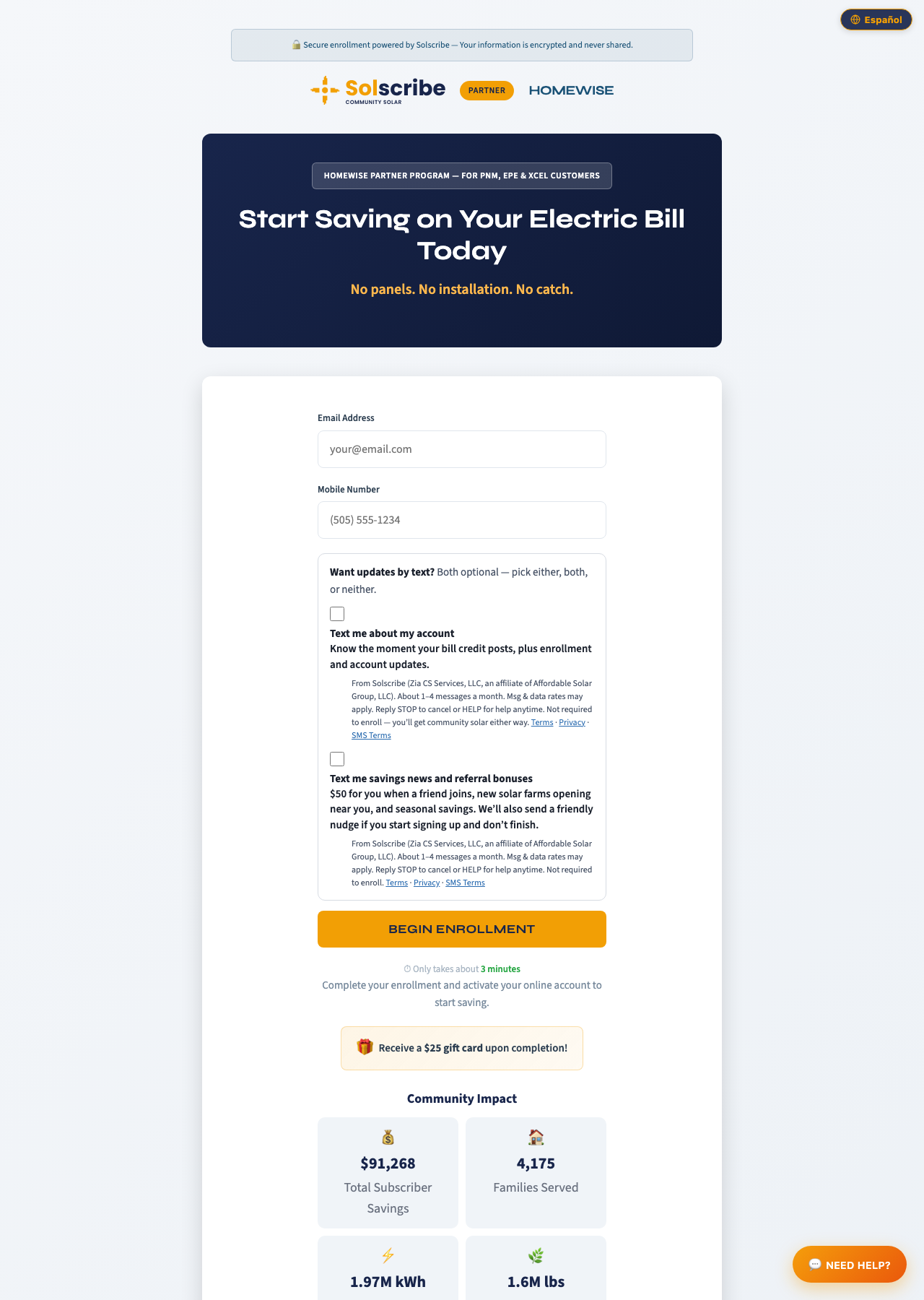
Consent is collected at the first step of the Solscribe enrollment form. Both SMS checkboxes are optional, unchecked by default, and not required to enroll.
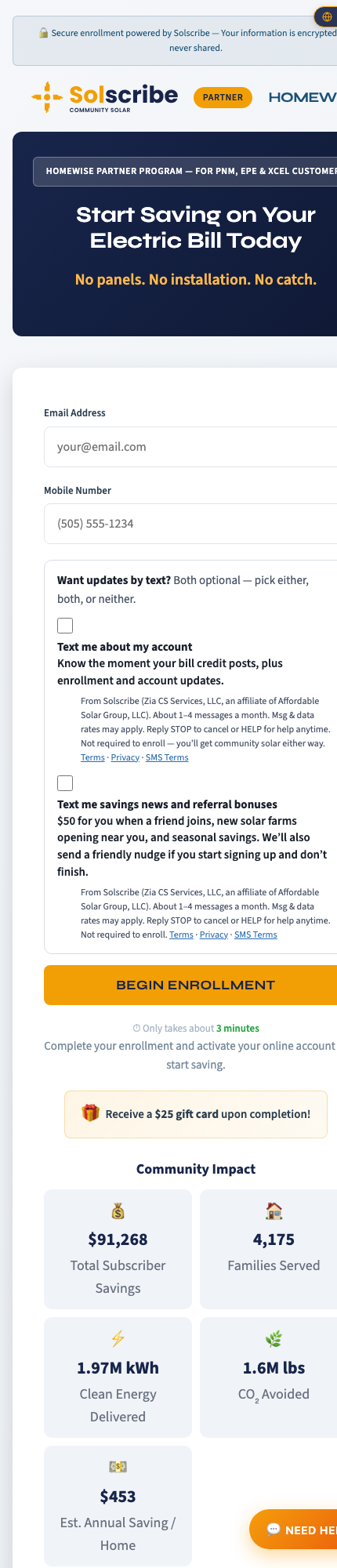
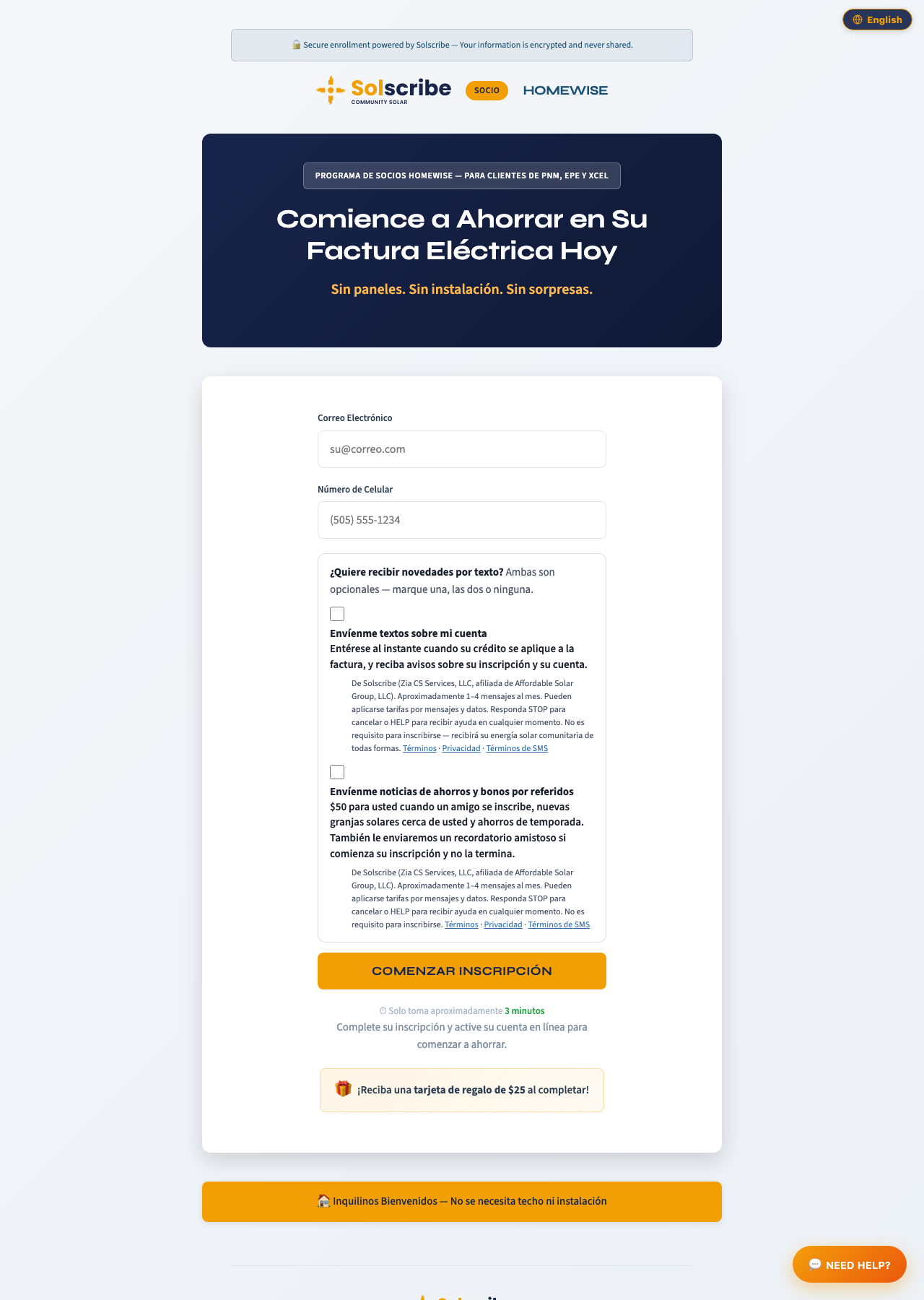
The checkboxes appear directly below the Mobile Number field on the public landing view of every enrollment form (English and Spanish), before the "Begin Enrollment" button. The person's selection is recorded — with timestamp, IP address, form URL, and the exact consent text shown — when they click "Begin Enrollment", and again at final submission. The same collection pattern is used for the marketing opt-in prompt shown to logged-in subscribers in the Solscribe subscriber portal.
Screenshots
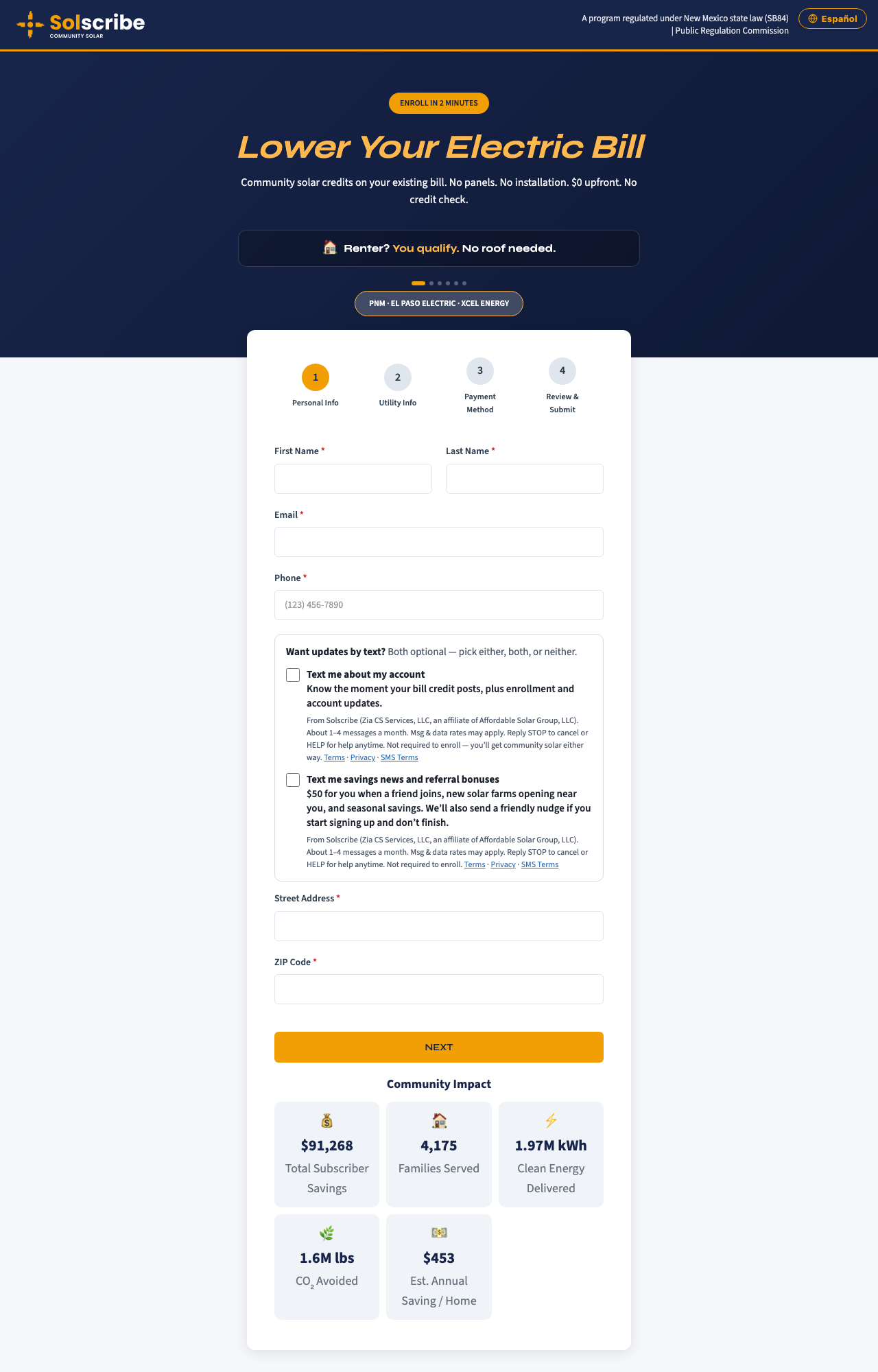
Enrollment form, step 1 — desktop (English). Both checkboxes unchecked by default.Enrollment form, step 1 — mobile (English).Enrollment form, step 1 — desktop (Spanish).Direct enrollment form at solscribenm.com/enroll, step 1 — desktop (English).
Exact Checkbox Language — English
Account Texts checkbox (transactional):
“Text me about my account — Know the moment your bill credit posts, plus enrollment and account updates.”
From Solscribe (Zia CS Services, LLC, an affiliate of Affordable Solar Group, LLC). Message frequency may vary. Msg & data rates may apply. Reply STOP to cancel or HELP for help anytime. Not required to enroll — you’ll get community solar either way.
“Text me savings news and referral bonuses — $50 for you when a friend joins, new solar farms opening near you, and seasonal savings. We’ll also send a friendly nudge if you start signing up and don’t finish.”
From Solscribe (Zia CS Services, LLC, an affiliate of Affordable Solar Group, LLC). Message frequency may vary. Msg & data rates may apply. Reply STOP to cancel or HELP for help anytime. Not required to enroll.
Exact Checkbox Language — Spanish
Casilla de Textos sobre su Cuenta (transaccional):
“Envíenme textos sobre mi cuenta — Entérese al instante cuando su crédito se aplique a la factura, y reciba avisos sobre su inscripción y su cuenta.”
De Solscribe (Zia CS Services, LLC, afiliada de Affordable Solar Group, LLC). La frecuencia de mensajes puede variar. Pueden aplicarse tarifas por mensajes y datos. Responda STOP para cancelar o HELP para recibir ayuda en cualquier momento. No es requisito para inscribirse — recibirá su energía solar comunitaria de todas formas.
Casilla de Noticias de Ahorros y Referidos (marketing):
“Envíenme noticias de ahorros y bonos por referidos — $50 para usted cuando un amigo se inscribe, nuevas granjas solares cerca de usted y ahorros de temporada. También le enviaremos un recordatorio amistoso si comienza su inscripción y no la termina.”
De Solscribe (Zia CS Services, LLC, afiliada de Affordable Solar Group, LLC). La frecuencia de mensajes puede variar. Pueden aplicarse tarifas por mensajes y datos. Responda STOP para cancelar o HELP para recibir ayuda en cualquier momento. No es requisito para inscribirse.
Program Details
Account Texts (transactional)
Message types: enrollment confirmations, monthly bill credit notifications, account alerts, payment reminders, service notifications
Frequency: message frequency may vary
Rates: message and data rates may apply
Opt out / help: reply STOP to cancel, HELP for help, anytime
Savings News & Referral Texts (marketing)
Message types: referral bonuses, new solar farm openings, seasonal savings offers, incomplete-enrollment reminders
Frequency: message frequency may vary
Rates: message and data rates may apply
Opt out / help: reply STOP to cancel, HELP for help, anytime